Forms › Form I-821
Fill out Form I-821 online
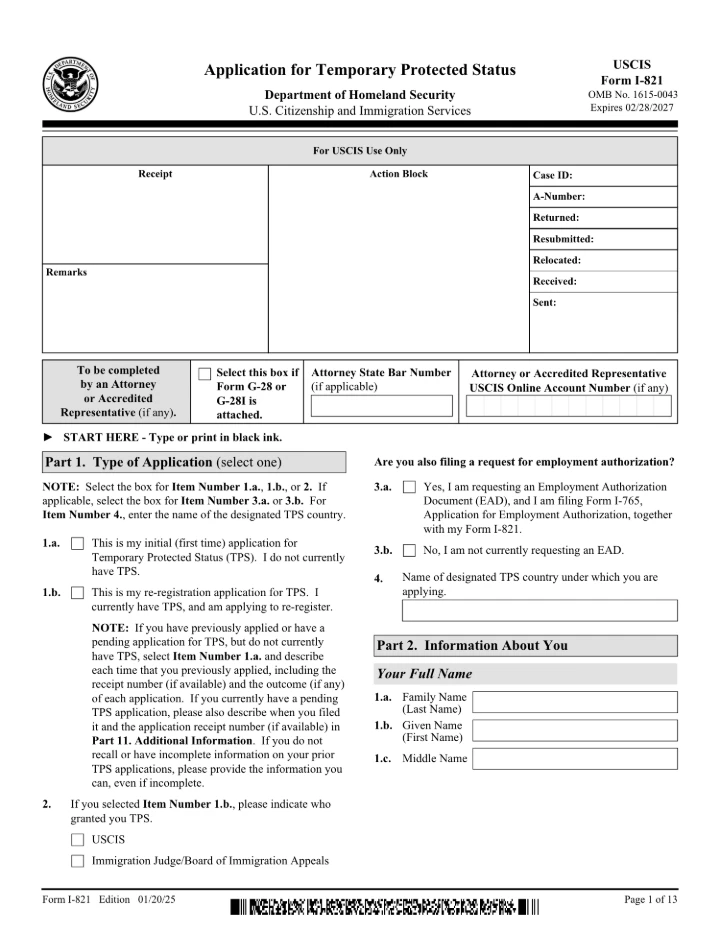
Fill out Form I-821, the Application for Temporary Protected Status, free in your browser. The official USCIS form opens on screen, you click the highlighted fields and type your answers, then download it. Nothing is uploaded, no signup, no watermark.
Editing is free. Downloading your finished file is a one-time $1.97 per document, refundable for 7 days.
What is the Form I-821?
Form I-821 is the USCIS Application for Temporary Protected Status (TPS). It is filed by nationals of countries the U.S. government has designated for TPS who are seeking temporary permission to remain and work in the United States.
Fill the Form I-821 in 3 steps
Get the form
Click “Get form” — the official PDF opens in the editor, with no upload.
Fill it in
Click the highlighted fields and type your details, or add text anywhere on the page. Everything stays on your device.
Download
Save the completed form to your device.
Common questions
Who files Form I-821?
Form I-821 is filed by individuals who are nationals of a country designated for Temporary Protected Status (or stateless persons who last resided there) and who want to register or re-register for TPS. Each eligible applicant submits their own form to USCIS.
Is filling out the Form I-821 here free?
Filling it in is free, with no signup and no watermark. Downloading the completed form is a one-time $1.97 — not a subscription, and refundable for 7 days.
Do you upload my form to a server?
No. The form opens and is filled entirely in your browser. Nothing is uploaded, so your personal and financial details stay on your device.
Is this the official form?
Yes. This is the official, current Form I-821 published by the U.S. government, which is public domain. You fill the genuine document.
Related forms
Form I-130
Form I-130, Petition for Alien Relative, is filed with USCIS by a U.S. citizen or lawful permanent resident to establish a qualifying family relationship with a relative who wants to immigrate. It is the first step in helping that relative get a Green Card.
Form I-485
Form I-485 is filed with U.S. Citizenship and Immigration Services (USCIS) by a person already in the United States who is applying to become a lawful permanent resident (green card holder) without leaving the country.
Form I-765
Form I-765 is the USCIS Application for Employment Authorization. Noncitizens who are eligible to work in the United States file it to request an Employment Authorization Document (EAD), the card that proves their right to work.